

What sigen-home-bridge is
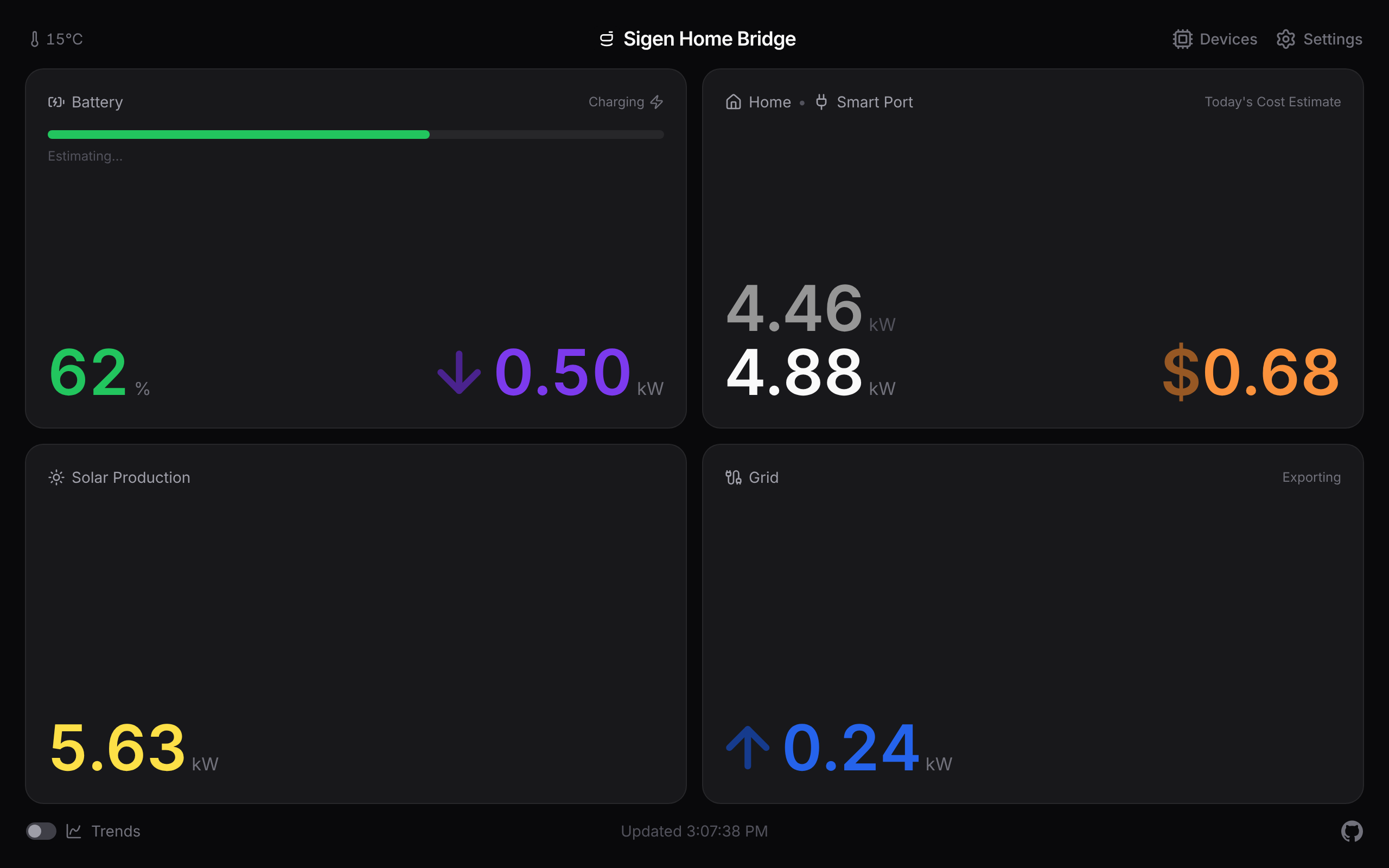
sigen-home-bridge is a small self-hosted service that reads your Sigenergy system straight off your home network and shows you the numbers. You run it on a machine at home (a NAS, a Raspberry Pi, an old laptop). It talks to your gateway directly, so nothing leaves the house and you don't need a Sigenergy cloud account or Home Assistant.
It only ever reads. It never sends a command back to your system, so it can't change a charge mode, a schedule, or a setting. The worst it can do is show your energy numbers to someone already on your network.
What you get
- A web dashboard. Solar, battery, grid, and home usage on one live screen, plus a chart you can scrub back through. It resizes to fill a wall-mounted tablet or a spare phone, and installs as a home-screen app.
- Apple Home. Live readings on your iPhone, iPad, and HomePod, ready to use in automations. Paired with a QR code, all on your network.
- Google Home. Battery and power readings in the Google Home app, reached through a free secure link.
- Alerts. Get pinged when the battery runs low, the gateway drops off, or you start importing from the grid. Sent to Apple Home, a web address you nominate (ntfy, Pushover, Home Assistant, Discord), or both.
- A plain data feed. Every reading on one web address you can poll into your own scripts, a spreadsheet, or Node-RED.
What it isn't
- It's not a controller. The bridge is read-only. It can't tell your battery to charge or flip a schedule.
- It's not a Home Assistant add-on. It's a standalone service. If you already run Home Assistant, you might prefer its own Sigenergy integrations.
- It's not a long-term energy record. The chart reaches back over your chosen window (7 days by default, up to 90), not years. For billing-grade history, pair it with something built for that.
- It has no login of its own. On your home network it's open on purpose, so anyone who can reach it can watch the dashboard. To reach it from outside the house, put a login wall in front of it (see Reaching it from away). Don't expose the raw app to the internet.
Is it for you?
You'll need:
- A Sigenergy system with the local data feed (Modbus TCP) switched on in the mySigen app. On some accounts that toggle needs installer-level access.
- Docker on a machine that sits on the same home network as your gateway.
- For Google Home only: a free Cloudflare account and a Google Home Developer Console project.
Everything else is set up in the dashboard once it's running. Next: Getting started.