Configuration
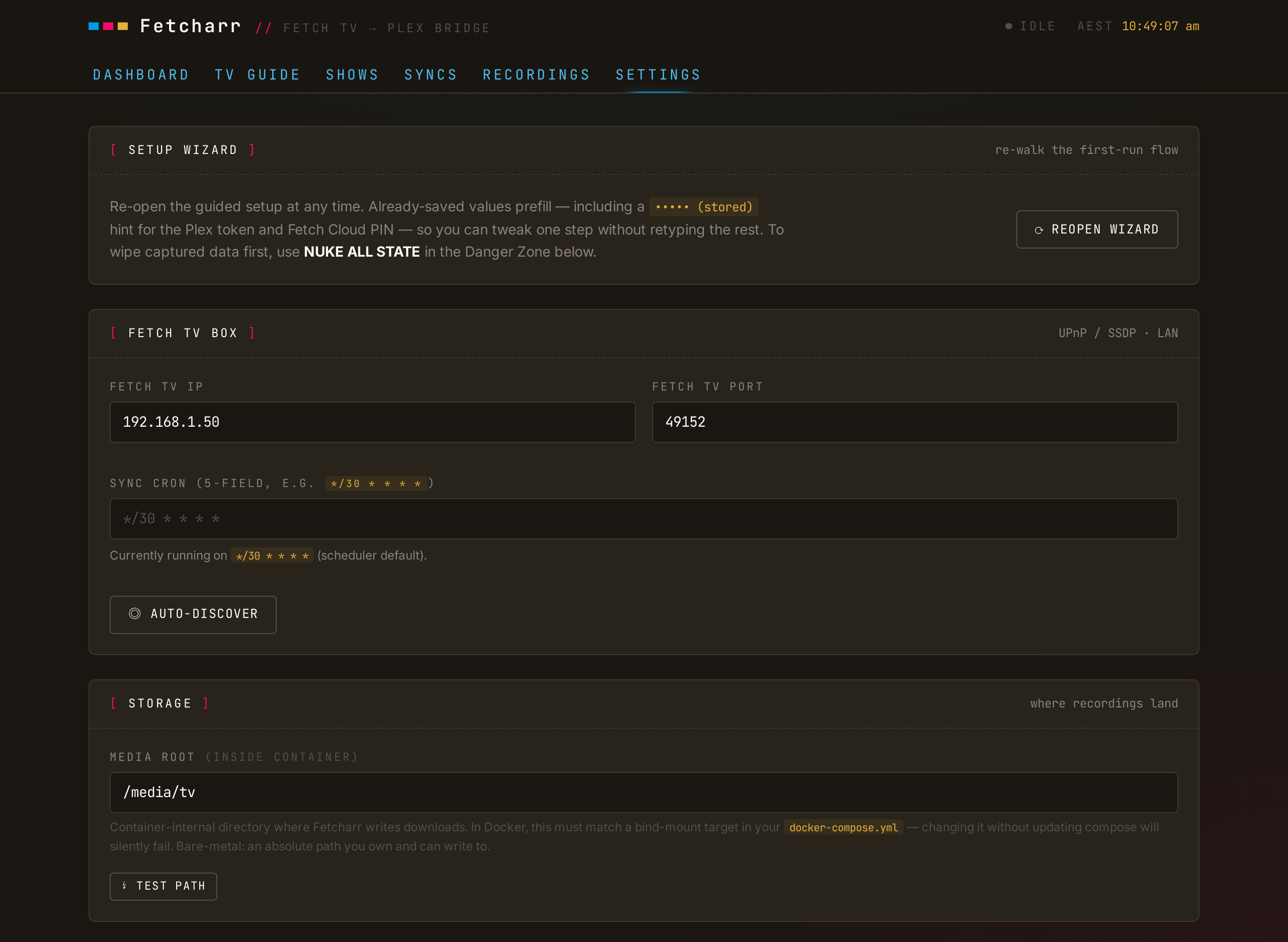
Config comes in two layers. The .env next to your compose file carries deploy-level knobs. Everything else (the Fetch box address, Plex token, Fetch cloud credentials) is a runtime setting you edit in the web UI, not via env.
Compose environment
Set these in the .env alongside docker-compose.yml:
| Variable | Purpose |
|---|---|
CONFIG_PATH | Host folder for Fetcharr's state database |
DATA_PATH | Host folder containing your Plex TV library (downloads land under media/tv) |
PLEX_PREFS_PATH | Optional. Path to Plex's Preferences.xml, used by the Auto-detect token button; omit if Plex is on another host |
CSRF_SECRET | 32+ random bytes (openssl rand -hex 32); required |
TZ | Your IANA timezone (e.g. Australia/Sydney); the UI renders all timestamps in it |
PUID/PGID | UID/GID to run as; match the owner of your bind-mounted folders |
FETCHARR_PORT | Host port to serve on (default 8124) |
Runtime settings
The Fetch box IP and port, Plex URL and token, Fetch cloud activation code, media root, ad-removal switches, and the sync schedule are all set in Settings (or the first-run wizard) and stored in the database. The Storage panel shows the media root it's using and offers a TEST PATH button.
NOTE
MEDIA_ROOT and PLEX_PREFS_PATH also act as defaults for their matching runtime settings. The fallback chain is settings DB value → env var → hardcoded default.
The full environment reference, including container-side variables like DB_PATH, PORT, and NODE_ENV, is in the deep dive.