Recordings
The Recordings tab is the per-episode record: every download Fetcharr has attempted, and how each one turned out.
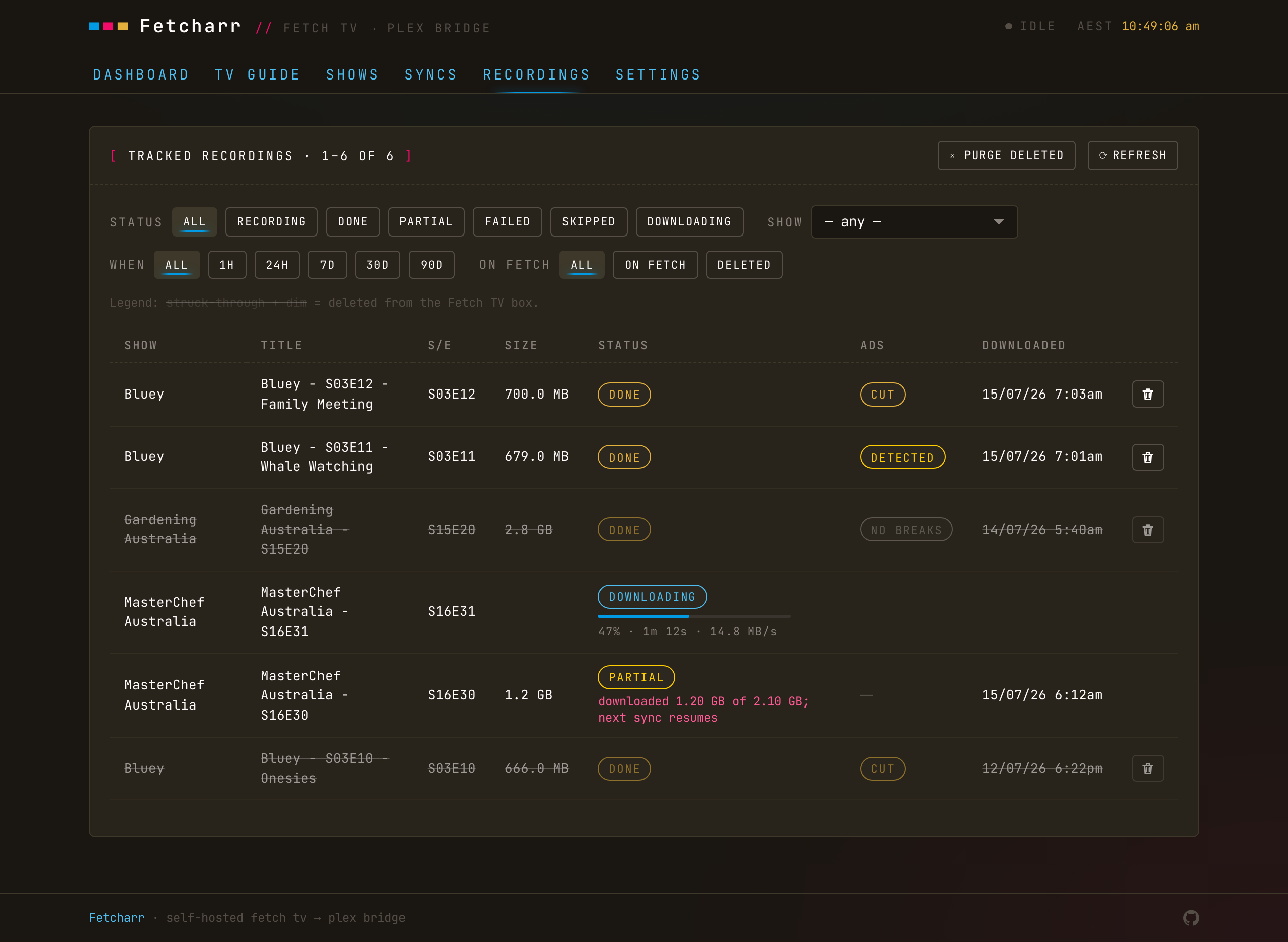
Statuses
- done — downloaded and complete.
- partial — the download came up short of the size Fetch reported. The next sync picks up from where it stopped (using HTTP range requests), so a
partialusually completes then. - skipped / recording — the episode was still recording when the sync ran; it's retried on the next pass after it finishes.
- failed — the download hit an error.
With ad removal on, an ad status also appears: scanning, detected, no_breaks, cut, detect_failed, or cut_failed. See Ad removal.
Live progress
While a download, ad scan, or cut is running, the row shows a thin progress bar with a percentage and a time-remaining caption, and the list refreshes every 2 seconds instead of the idle 60. A download bar shows the speed and time left; a scan bar counts down from an estimate; a cut shows how many segments it's joined. Once nothing's active, the list goes back to refreshing slowly.
Re-scan and re-cut
The row can re-run an ad scan or cut on the file you've already downloaded, without fetching it again, so you can try detection on recordings you already have.
Tombstones
A recording deleted from the Fetch box shows struck-through and dimmed (a tombstone), but its labels, buttons, and progress bar stay readable: a tombstoned recording is still on disk, so you can re-scan or re-cut it.
Failed rows
A failed row that is no longer on the Fetch box has nothing left to clean up, so the row carries a delete button that removes it from Fetcharr's history. If the episode is still on the box, the next sync downloads it again and the row comes back. A row for an episode that is still recording has no delete button.
Filters and time
Filter by ON FETCH / DELETED; the WHEN filter adds 1H / 24H shortcuts for recent activity. Timestamps show in the container's timezone (TZ), whatever device you're browsing from.