Following shows
Fetch records shows; Fetcharr syncs the ones you follow. The Shows tab is where you pick them.
Add a show
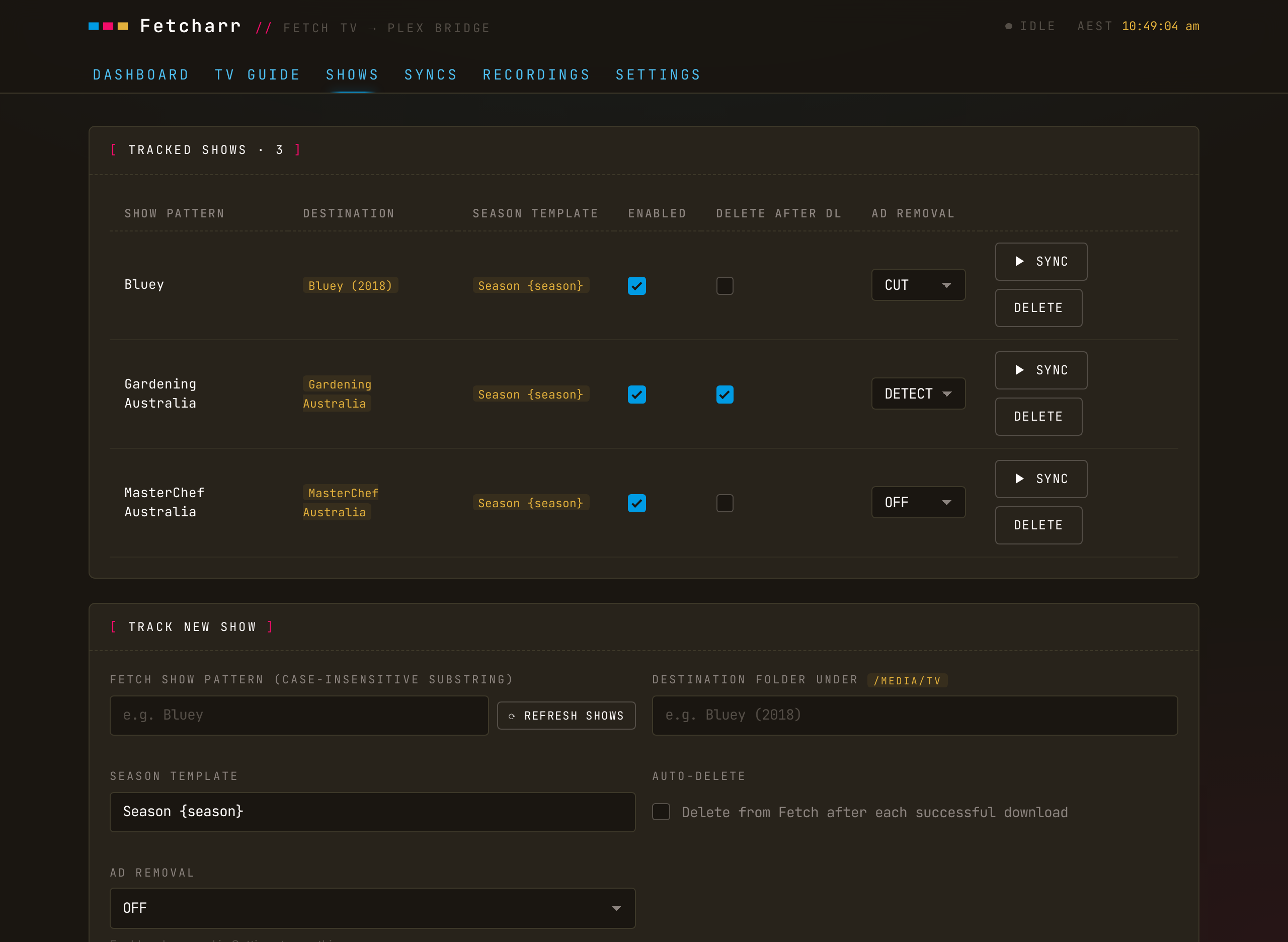
The first time you open the Shows tab with a Fetch box set up, it runs Refresh Shows to pull the box's recorded titles into a dropdown. Pick a title and Fetcharr matches it against the folders already under your media root (even when the names aren't identical) and suggests where to file it. If nothing matches, it suggests a new folder named after the show. Either way, you can change the folder before saving.
Season template
Each show has a season-folder template that decides where episodes are saved: {season}, {season_padded} (zero-padded, 01), or {season_unpadded} (1). Fetcharr writes to <media_root>/<dest_folder>/<season>/…, and it rejects any template that would point outside your media root, so a follow can only ever write inside your library.
Enable, sync, remove
- Toggle a show enabled or disabled; disabled shows are skipped by scheduled syncs.
- Sync now on a single show downloads just its new episodes, without waiting for the schedule.
- Delete a follow to stop tracking it; downloaded files stay on disk.
In-progress protection
Fetcharr won't download a show that's still recording. Fetch reports the wrong file size while a recording is still in progress, so a currently-recording episode is skipped and picked up on the next sync after it finishes. That shows up as a skipped / recording row in Recordings.